Track groceries on Android by taking one photo.
Snap the receipt before you leave the parking lot. Every item gets sorted, priced, and added up for you, so you can finally see where the money goes.

Free to try. No credit card required.
1,700+shoppers tracking 70,000+ items across 6,000+ receipts
Grocery tracking
without the spreadsheet
Point your camera at the receipt
No cropping, no flattening it on a table. Hold it up and the app takes the shot for you.
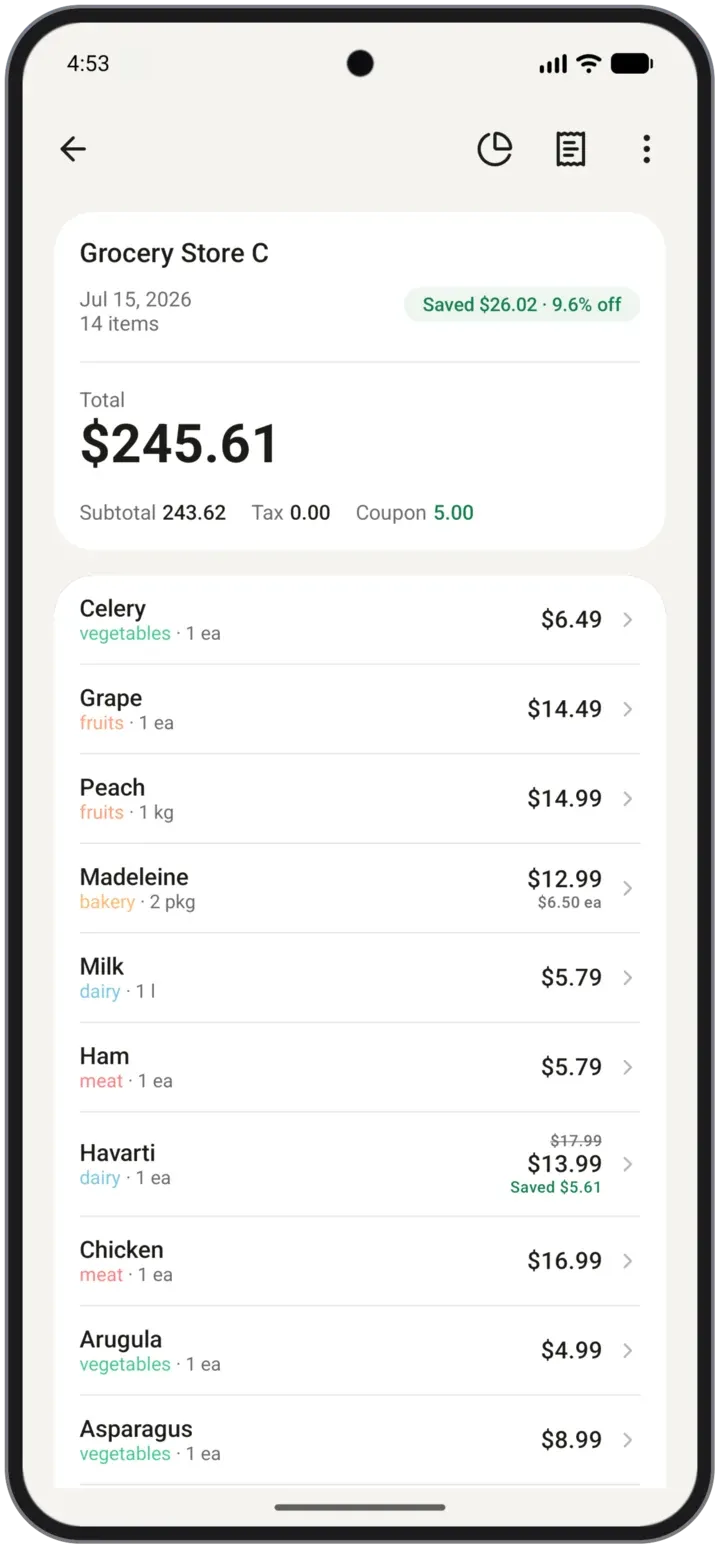
Every line comes back sorted
Each item lands with its own price, quantity, and category, and any sale price you caught is recorded beside it.
Your month adds itself up
Budgets, store comparisons, and category totals update the moment the receipt lands. Nothing left to fill in.
Small app, serious numbers
Everything you need to cut a grocery bill, and nothing you have to configure first.
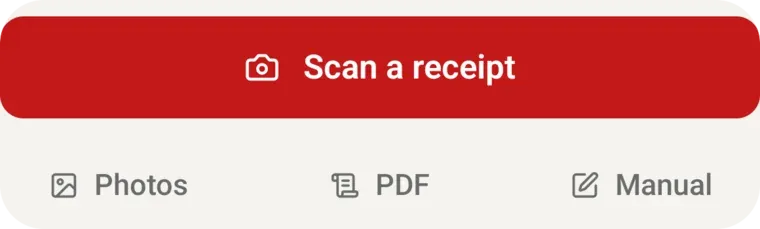
Receipt scanning from your camera or photo library
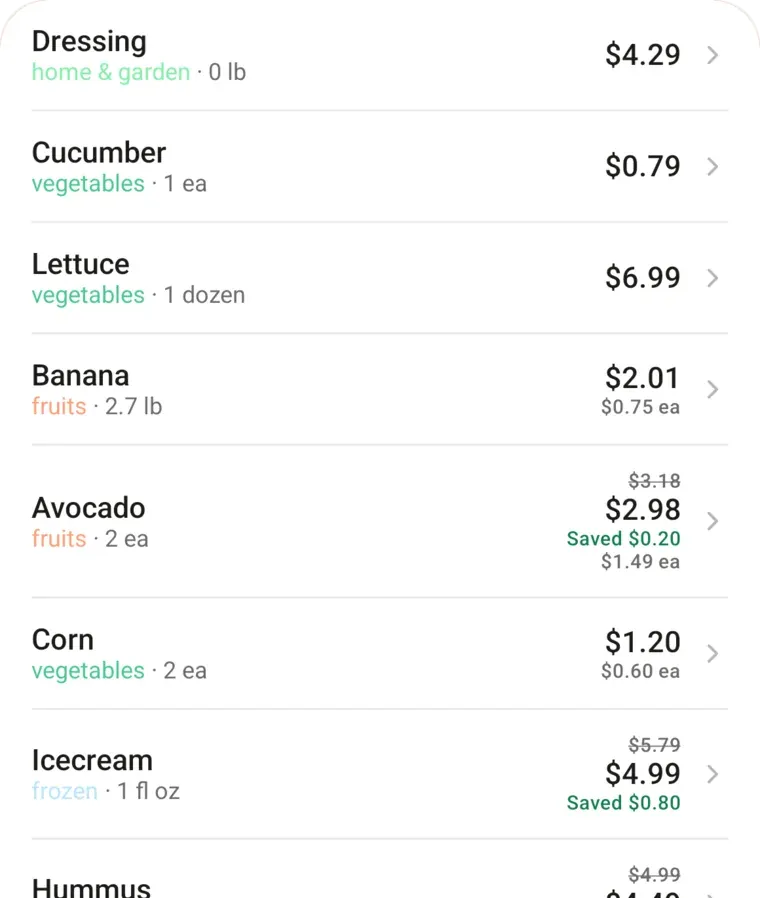
Item by item prices, not just a receipt total
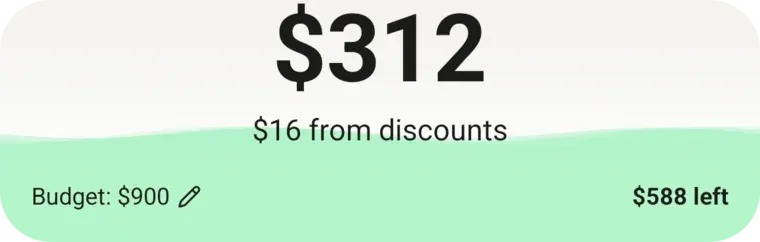
Monthly budgets with what is left to spend
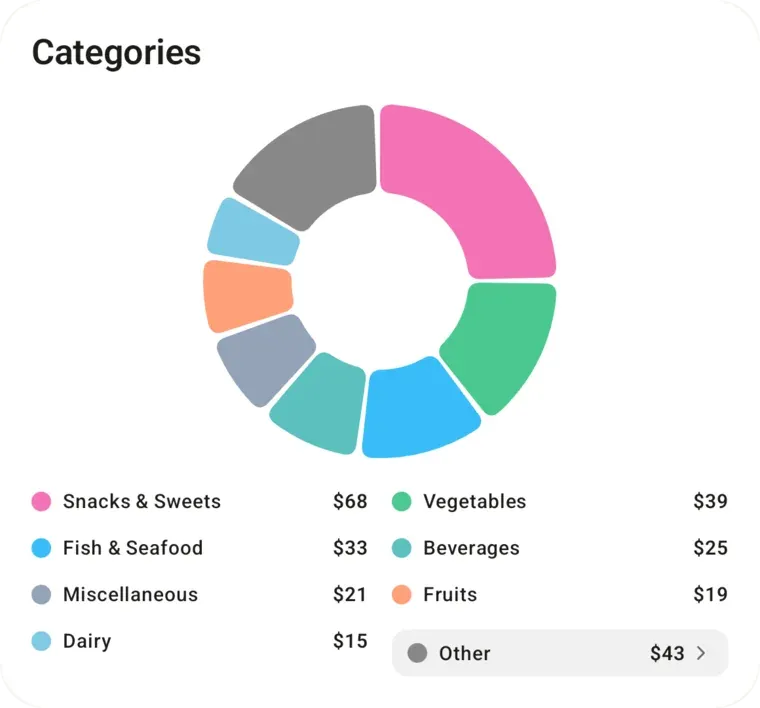
Category breakdown of every shop
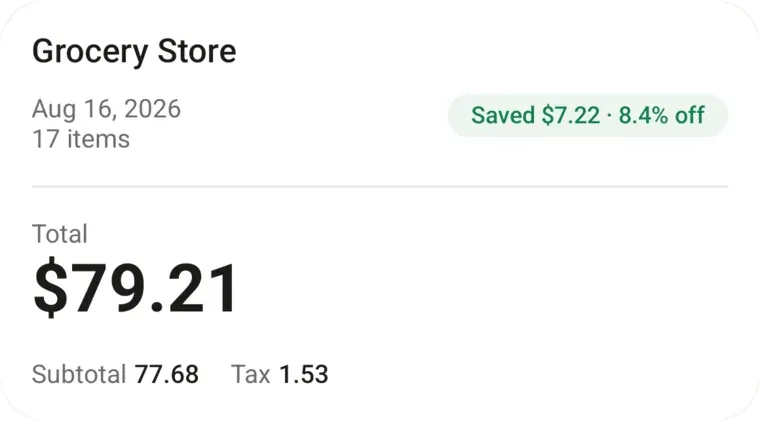
Discounts and sale prices tracked automatically
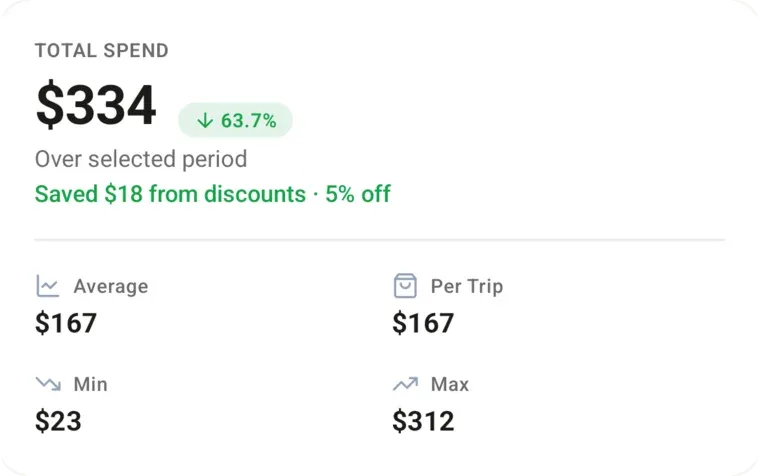
Spending trends month to month
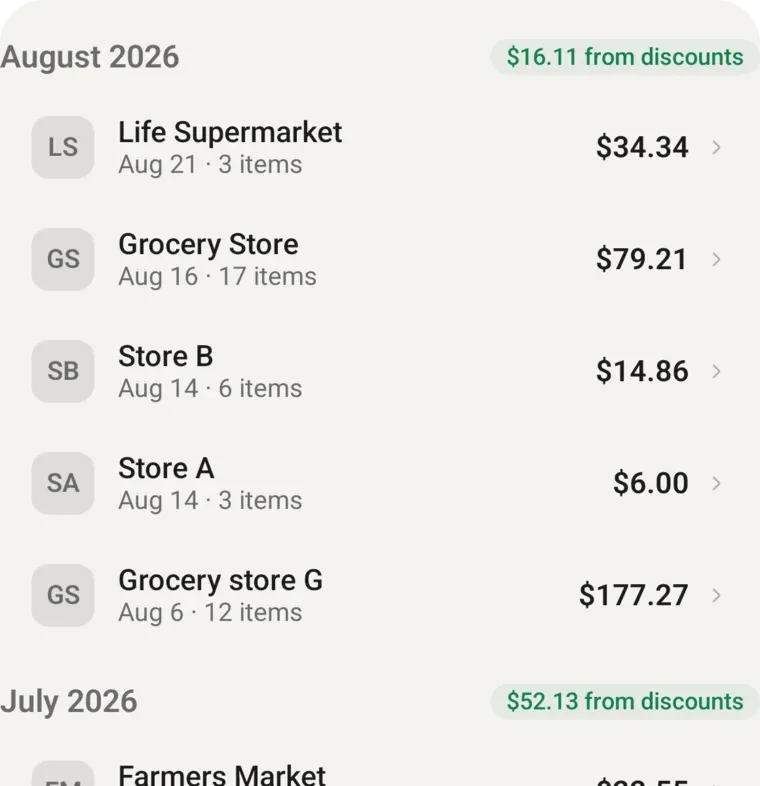
What you saved at checkout, month by month
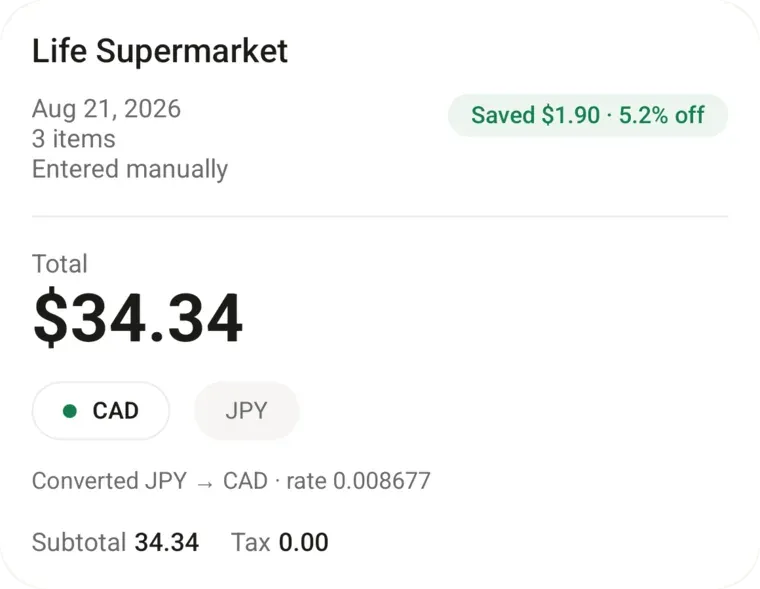
Prices in your own currency
- Store price comparison on the items you buy most
- Savings goals you can put a number on
- Shared household groups
- Grocery lists that carry over
- Export your history to a spreadsheet
- Requires
- Android 8.0 or later
- Works on
- Android phones
- Price
- Free to download
⭐⭐⭐⭐⭐ This app has genuinely changed the way we manage our grocery spending!
We had been fighting at home for months over how much we were spending on groceries, but since I started using Groceries Tracker and actually tracking the data, everything has completely changed - no more fights! 😂
Now we have a clear picture of where our money is going, can easily track our budget, and most importantly, hold ourselves accountable. Seeing the actual numbers makes such a difference.
It’s simple, useful, and genuinely making a difference for us. Highly recommend it! 👏
“Fairly new user, but works really well and is very handy for tracking expenses. What is really amazing is I flagged a bug, got an answer through mail a couple minutes later stating they were working on a fix. A couple hours later the fix was up and the bug fixed. Now that's how you do customer support.”
“I tried several apps, and AI actually recommended this one over most. What I love is how easy and addictive it is, when I'm at the grocery store, I just scan and upload, and I don't even take the receipt home anymore. It's become part of my routine. I love business startups, and I think this is a great product.”
“I just started using it about a month ago. It makes it so much easier to track my food expenses, especially when I buy at Costco where you can get more than food. I love that I just have to upload my bill and it automatically puts everything in categories with graphs with little editing. Very impressive!”
“The app is a valuable tool for keeping my budget at hand, especially these days with food prices changing so quickly. It has been fun watching the app evolve and the care and responsiveness of you and your team.”
Questions about the Android app
- Which version of Android do I need?
- Groceries Tracker requires Android 8.0 or later.
- Which Android phones does it work on?
- It's built for Android phones, not tablets. We use it on Pixel and Samsung Galaxy phones. Any phone on Android 8.0 or later with Google Play should be able to install it. We haven't checked every brand, so if yours looks off, tell us.
- Can I add a receipt from my gallery instead of the camera?
- Yes. On Add Receipt, tap Photos and pick any picture from your gallery. An old photo works the same as one you just took. There's also PDF and manual entry if you'd rather not use a photo. Keep images under 4MB.
- Can I import a PDF receipt that a store emailed me?
- Yes. Save the PDF from Gmail (Downloads, Drive, or Files), open Groceries Tracker, and tap PDF on Add Receipt. You can't share the file straight from Gmail into the app yet, because the Android share sheet isn't wired up. Save it first, then pick it in the app.
- Do I have to pay before I can try it?
- No. The free plan has no time limit and needs no credit card: 13 receipt scans, 20 receipts entered by hand each month, and groups of 2. Nothing is ever charged unless you choose to subscribe, and your receipts stay either way.
Your next receipt is the first one
Scan it tonight and you will have your first category breakdown before you finish putting the groceries away.
Also on iPhone and the web.